Sections and the song timeline
Every idea can play as a whole track. Here's what each section does, how to hear one on its own, and how to re-roll and rearrange the song.
Loop and Song
The LOOP / SONG switch chooses what you hear. Loop plays the idea round and round. Song plays it as a track: intro, breakdown, build, drop and outro, with the FX part's risers and impacts.
In Simple, the switch is by the transport. In Pro, it's in the idea's row next to Section. Going back to Loop returns to the section you heard last.
The preview, the lanes, the clips and Drag All all follow what you're hearing, so what you drag is what you heard.
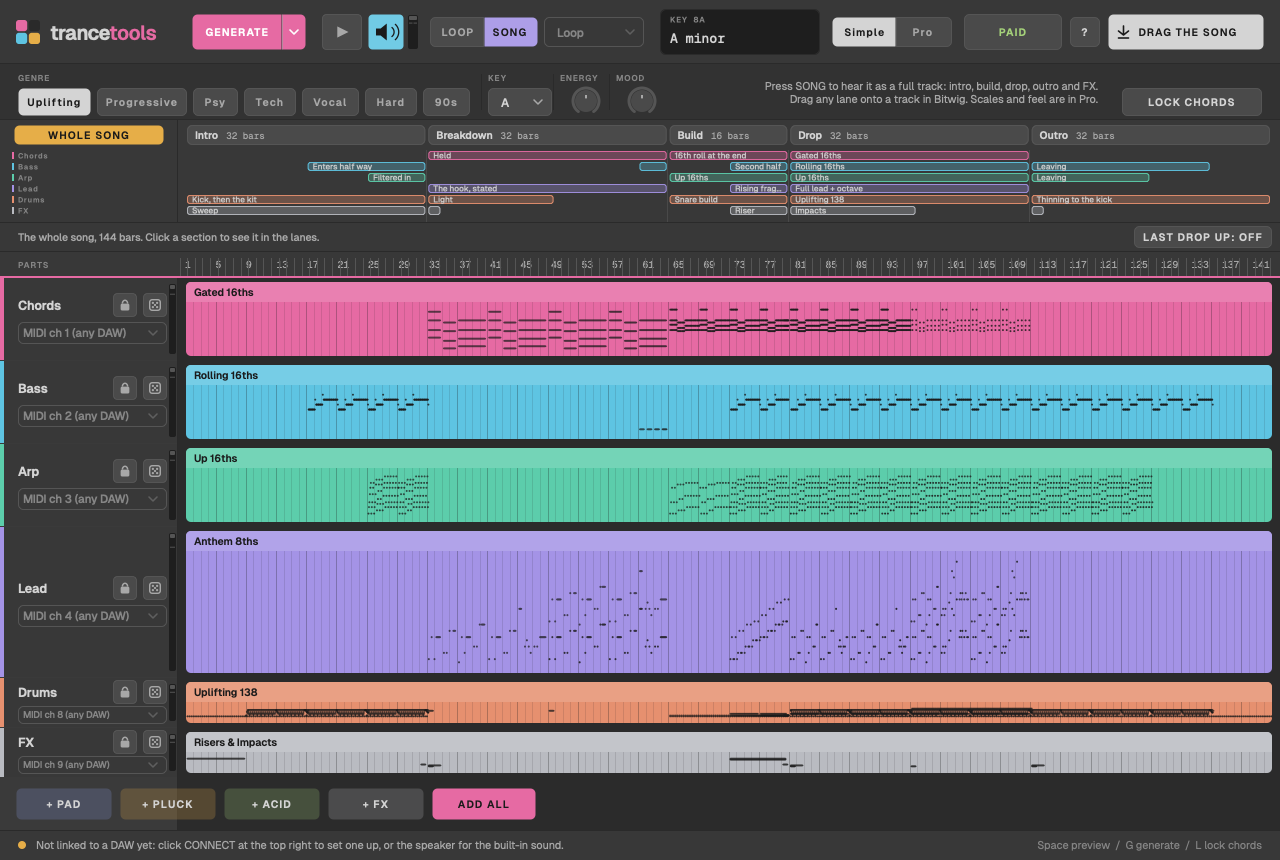
Hearing one section
To play the loop as one section on repeat:
- Simple: choose it from Hear As: Loop, Intro, Breakdown, Build, Drop or Outro.
- Pro: choose it from Section, which also has Whole Song.
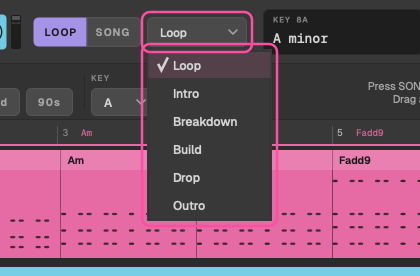
What each section does
Every section is made from your idea, so the song always uses your chords and your hook.
Section lengths
Songs are DJ length, set by the genre, whatever your loop's length:
| Genre | Intro | Breakdown | Build | Drop | Outro | Total |
|---|---|---|---|---|---|---|
| Uplifting | 32 | 32 | 16 | 32 | 32 | 144 bars |
| Progressive | 32 | 32 | 32 | 32 | 32 | 160 bars |
| Psy | 32 | 16 | 16 | 64 | 32 | 160 bars |
| Tech | 32 | 16 | 16 | 32 | 32 | 128 bars |
| Vocal | 32 | 32 | 16 | 32 | 32 | 144 bars |
| Hard Trance | 32 | 16 | 8 | 32 | 32 | 120 bars |
| Classic 90s | 32 | 32 | 8 | 32 | 32 | 136 bars |
So Progressive has a long filter build, Psy a short breakdown and a long rolling drop, and Hard Trance and Classic 90s a short, punchy build. In the 32-bar sections, every 8 bars is a phrase, and something changes on each one, marked by a fill and a crash.
The sections below are described as Uplifting plays them; the other genres follow the same shape with their own parts.
Intro
For DJs to mix in over. It starts with the kick and brings in the rest of the kit, then the bass, then the arp, a phrase at a time.
Breakdown
The emotional heart. The chords play at half speed, voiced wide and open, with no kick. The pad swells in over the first half while the riff is stated softly in long notes; in the second half the riff plays in full, doubled an octave up, with the pluck joining. A sub holds each chord's root under the last four bars, and a crash opens each half.
Build
A snare roll speeds up from quarters to 8ths, 16ths and finally 32nds in the last bar, rising all the way. The kick plays on every beat, the hats join in the second half, a fragment of the riff climbs, and a noise sweep rises with the riser. The last beat is silent before the drop lands on a crash and an impact.
Drop
Everything, with a crash on the one. The first half plays the riff as written; the second half doubles the lead an octave up and adds off-beat chord stabs, with a tambourine on the 16ths. The parts play with accents, like a player would: the downbeat strongest, the off-beats lighter. In Uplifting, the drop keeps one moving line (the arp), and the pluck stays in the breakdown.
Outro
The drop taken apart a phrase at a time, for DJs to mix out over.
Filter sweeps
The breakdown and build write filter sweeps (CC 74) on every part except the drums: the breakdown opens up, and the build rises to fully open. If your synth doesn't respond, map CC 74 to its cutoff. Turn them off with Idea > Filter Sweeps in Breakdown and Build (CC 74). When the preview stops, CC 74 and CC 11 go back to 127.
The song timeline
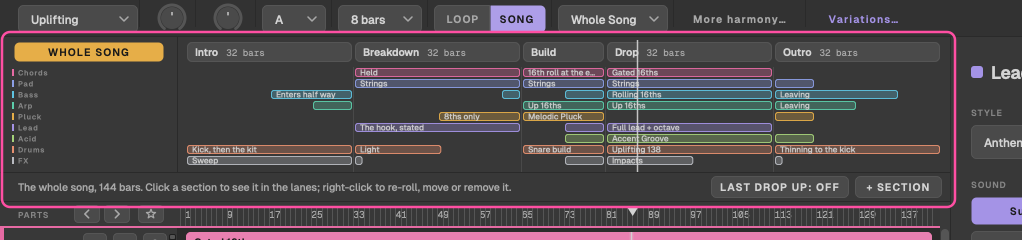
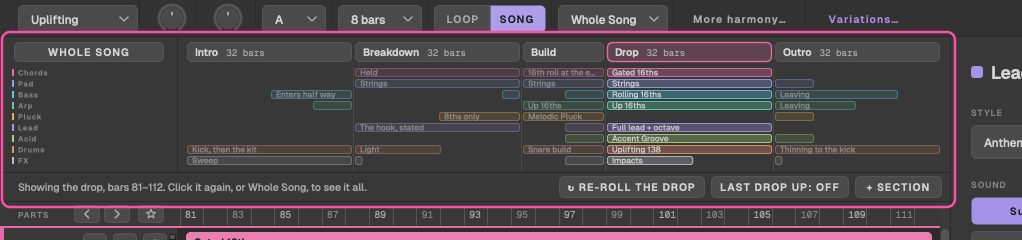
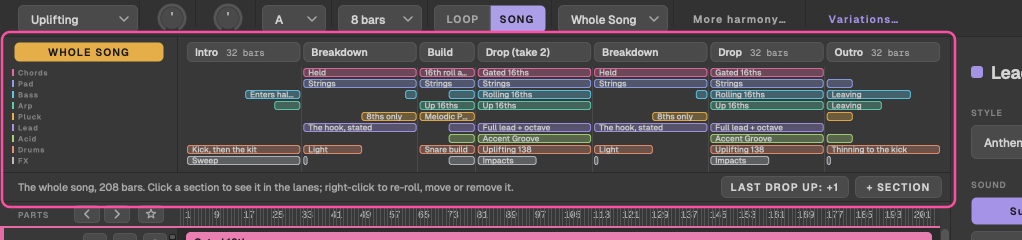
In Song, a timeline sits over the lanes: a strip of sections, and a row per part showing where it plays and what it does there.
- Click a section to show just it in the lanes. The whole song keeps playing, and the ruler keeps the song's bar numbers. Drag All and the lanes now drag that section.
- Whole Song shows the whole song in the lanes again.
New takes
With a section shown, Re-roll gives it a new take: its lead, arp, pluck, acid, bass and drums vary, and the chords stay. Or right-click a section and choose Re-roll (New Take).
Back to the Loop as Written, in the same menu, undoes a section's takes. Takes are saved with the song, and Export Song as WAV includes them.
Arranging the song Pro only
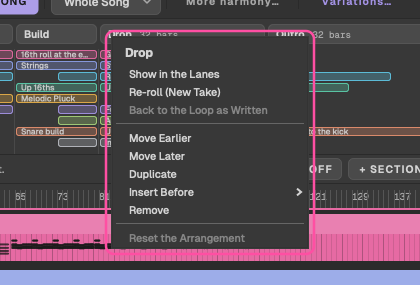
Right-click a section for:
- Show in the Lanes or Show the Whole Song;
- Re-roll (New Take) and Back to the Loop as Written;
- Move Earlier and Move Later;
- Duplicate;
- Insert Before, with any section type;
- Remove;
- Reset the Arrangement, back to intro, breakdown, build, drop and outro.
+ Section adds a section at the end. A song has a maximum number of sections; when it's full, Duplicate and Insert are greyed out. The arrangement is saved with the idea.
Last drop up a key
The classic last-chorus lift: the last drop, and the outro after it, move up a semitone or two. Set it with the lift button on the timeline (it steps through Off, +1 and +2), Idea > Song: Final Drop Up a Key, or the final drop's lift in More harmony. It lifts the last drop in any arrangement. Drums and FX don't move.