40 trance patterns
Six styles: Uplifting, Progressive, Psy, Tech, Vocal and 90s Classic. Each pattern comes with three ready-made variations: a fill, a softer fill, and the beats flipped.
A trance gate made for trance. Forty patterns in six trance styles, a pump on every beat, and delay and reverb after the gate, so the tails ring through the gaps. Free, from the people behind TranceTools.
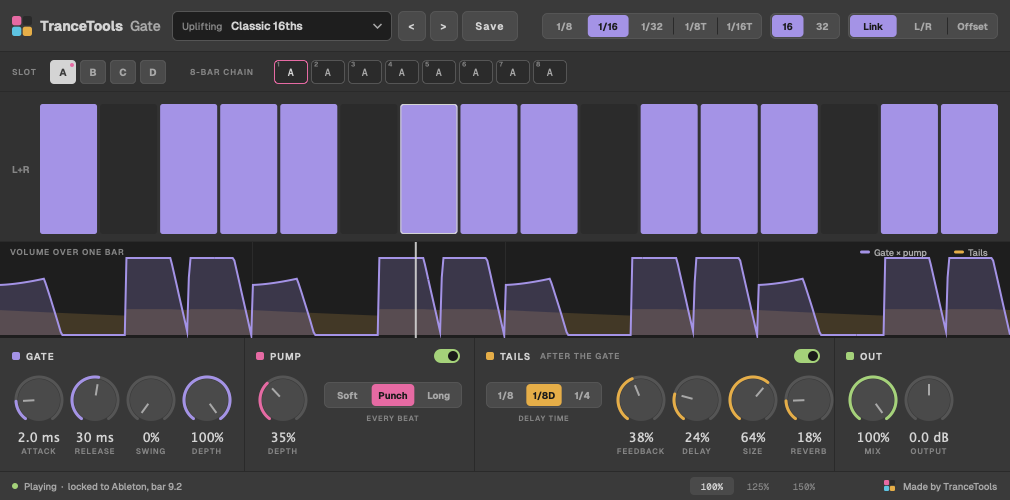
Most free gates are generic: a grid of steps and nothing else. You end up stacking a gate, a pump plugin and an echo, then hunting for a pattern that sounds like trance.
TranceTools Gate starts from trance. Pick a style and a pattern, and the gate, pump and tails are already set to suit it. Then make it yours.
Six styles: Uplifting, Progressive, Psy, Tech, Vocal and 90s Classic. Each pattern comes with three ready-made variations: a fill, a softer fill, and the beats flipped.
The pump ducks every beat like a sidechain to the kick, with Soft, Punch or Long curves. It works together with the gate, and the curve shows you the result.
Delay and reverb come after the gate, so echoes ring through the gaps instead of being chopped off. That's the classic trance pad sound.
Four slots, A to D, and a chain that picks one for each bar, so the gate changes as the track moves. For example, A A A B A A A C.
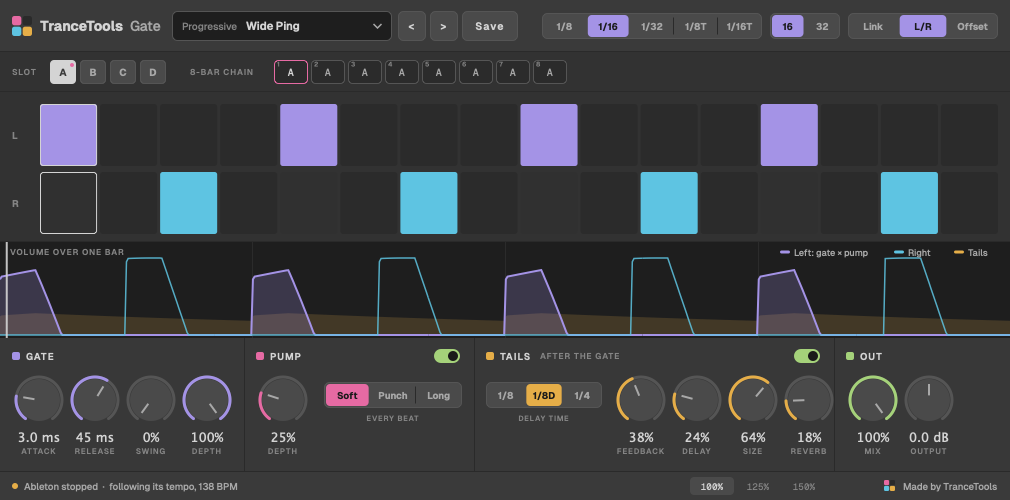
Link both sides, give left and right their own patterns, or play the right side one to three steps behind the left for a wide, bouncing gate.
Smooth attack and release, never faster than 1 ms, so the gate opens and closes cleanly at any setting.
Gate follows your DAW's tempo and bar position to the sample, including tempo changes and loops. Stop the transport and it keeps running at your DAW's tempo, so you can audition sounds with the gate on.
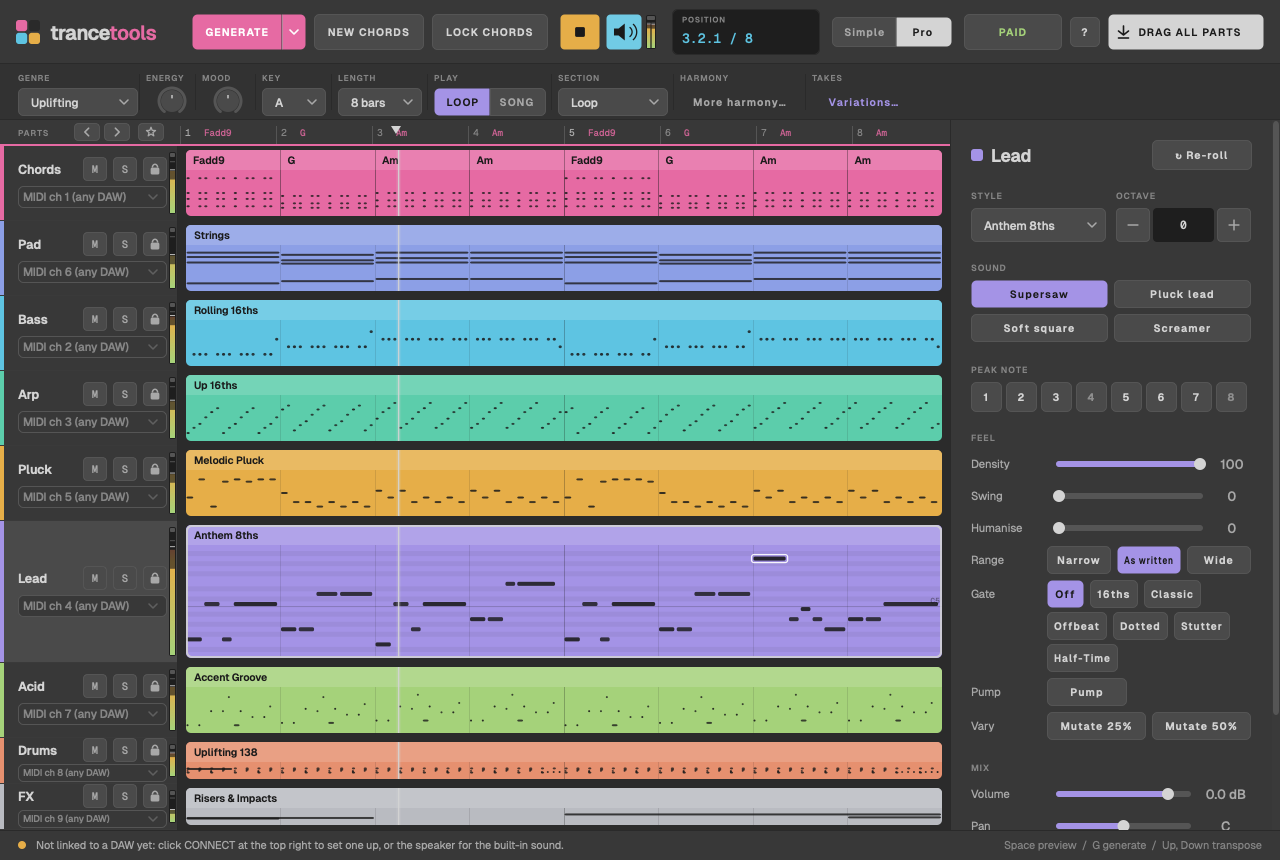
TranceTools writes trance ideas you can drag into your DAW as MIDI: chords, pads, leads, arps and more, made to fit together. Put Gate on the chords or pad, choose a pattern in the same style, and the part comes alive.
TranceTools: £29 one-off · £19 until 31 December · every 1.x update free
No account, no sign-up and no nag screens in the plugin. The only link is a small "Made by TranceTools" in the corner.
New to it? Read the Gate user guide. Want to try patterns first? Build one in your browser.
Anything else? Email hello@trancetools.com, or ask on the TranceTools Discord.
Yes. TranceTools Gate is free for personal and commercial use, so you can use it on tracks you release and sell. Please don't share the plugin files or sell them; send people to this page instead. It's provided as is, with no warranty.
VST3 and AU on Mac: macOS 11 or later, Apple silicon and Intel. There's no Windows or AAX version yet.
We've used it in Bitwig Studio and Ableton Live. It's a standard VST3 and AU audio effect, so it should load in any Mac DAW that hosts them. Put it on the same track as your synth, after it.
In Music/TranceTools Gate/Presets, in your home folder. Each one is a .ttgate file you can back up or share.
The Gate Builder runs in your browser and exports MIDI. TranceTools Gate is a plugin that gates the audio itself, live, with pump and tails.
Free for Mac, VST3 and AU.
Download free