From loop to full trance track, in one go
You've got a loop you love in Session View. TranceTools Arrange turns it into a DJ-length trance arrangement in Live's Arrangement View: intro, breakdown, build, drop and outro, with locators and real automation on your own tracks. Your synths, your sounds, your set. And one Cmd+Z undoes it.
£29 one-off, on two Macs.
Or get it with TranceTools as a bundle: £49 for both.
- Ableton Live 12 or later
- Mac, Apple silicon and Intel
- Uses your own sounds and synths
Not on sale yet: the beta is private.
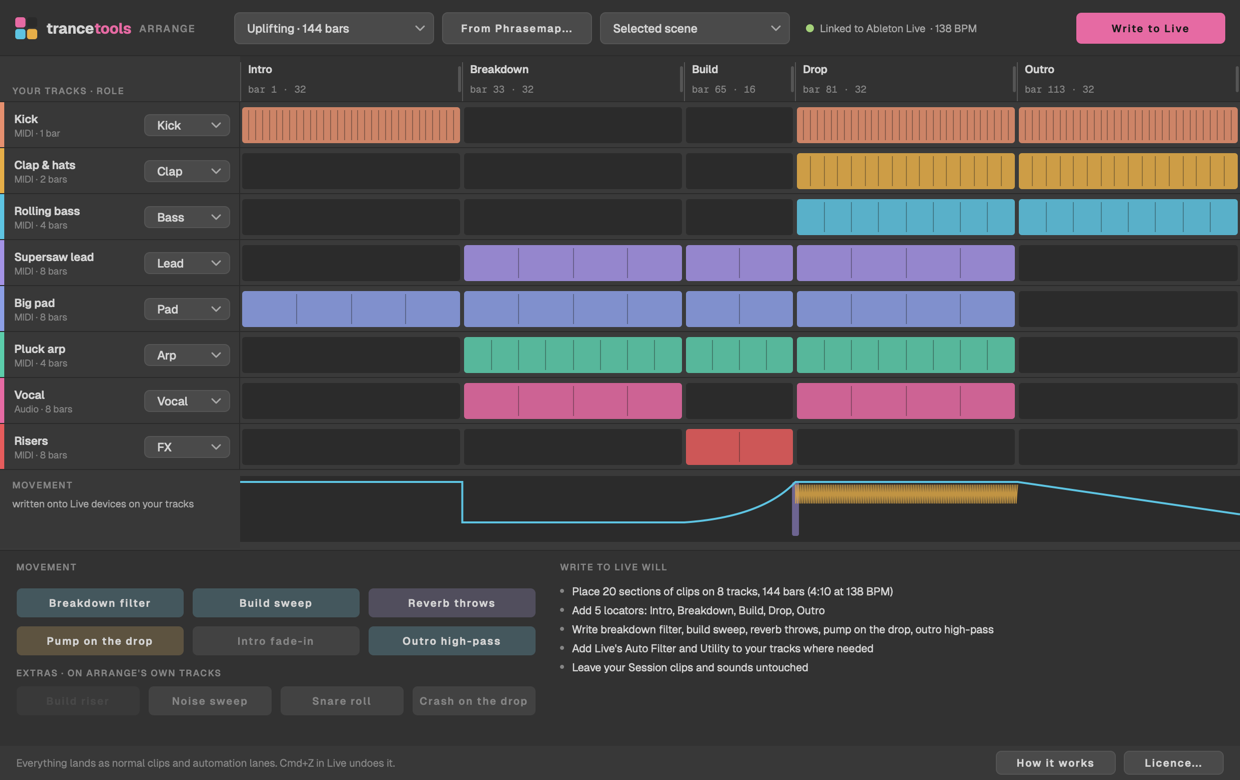
It arranges your set, not ours
Arrange works with whatever is already in your Live set: your tracks, your synths, your audio and your clips. Put your loop in one row of Session View, and Arrange reads each track's clip from there.
It guesses each track's role from its name (kick, bass, lead, pad, arp and so on), and you can change any of them. The role decides which sections the track plays in: no kick in the breakdown, everything in the drop.
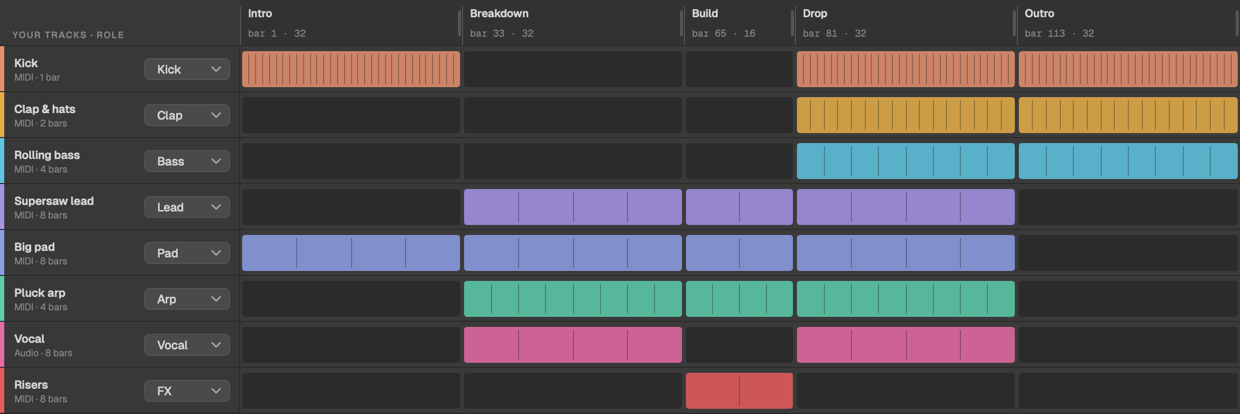
A trance layout, three ways
Pick one of seven genre templates, from Uplifting to Hard Trance and Classic 90s, with the same section lengths as TranceTools' Song mode.
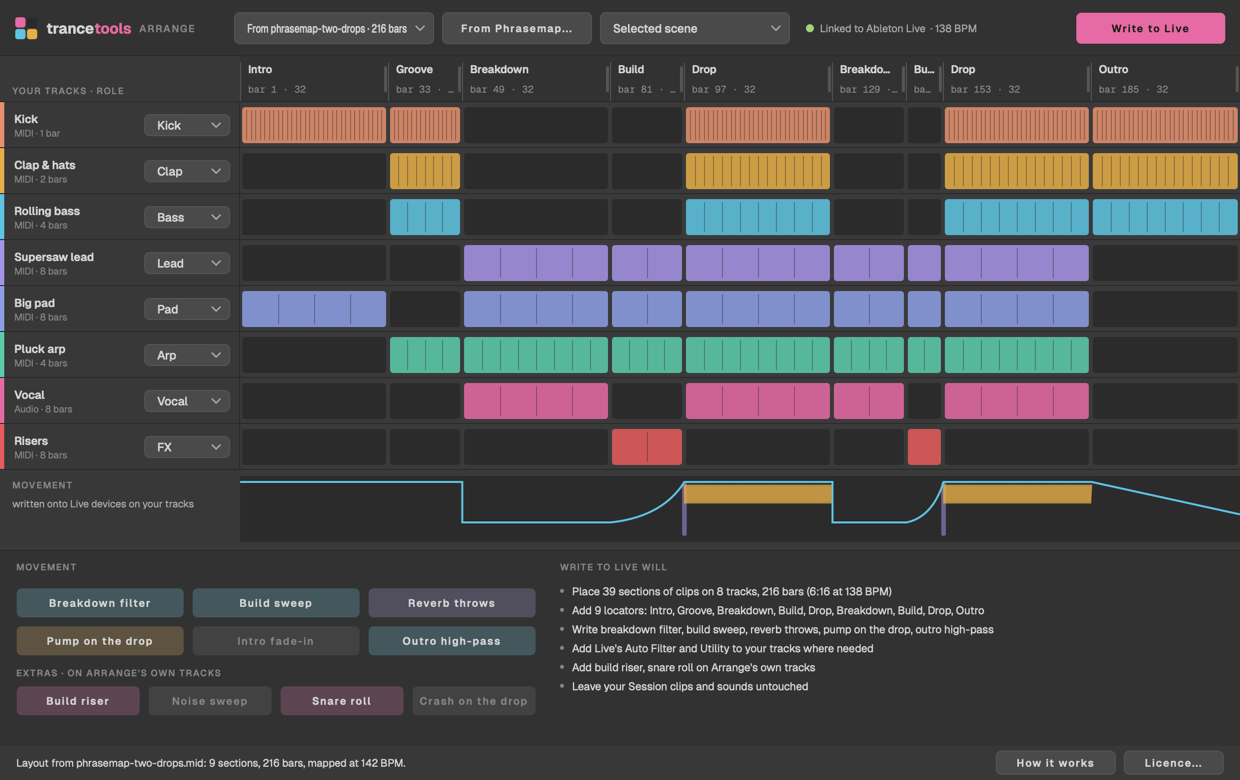
Or use the layout of a track you love: open the MIDI file or Ableton set you exported from Phrasemap.
Or make your own: drag the section edges, rename, split or join sections, and click any cell to switch a track on or off there.
Movement, not just copies
A loop copied end to end sounds flat. Arrange writes real automation, shaped for each section:
- the filter closed in the breakdown and sweeping open through the build;
- reverb throws into each drop;
- the pump on the drop;
- melodic parts fading in over the intro;
- a high-pass rising through the outro.
It's written on Live's own devices, which Arrange adds to your tracks (an Auto Filter, a Utility and a second Auto Filter for the high-pass), and on send A. Switch any move off before you write.
Add extras on Arrange's own tracks if you like: a noise sweep and a snare roll over each build, made at your tempo, a crash on each drop, or a TranceTools Build riser across each build if you have the Build plug-in.
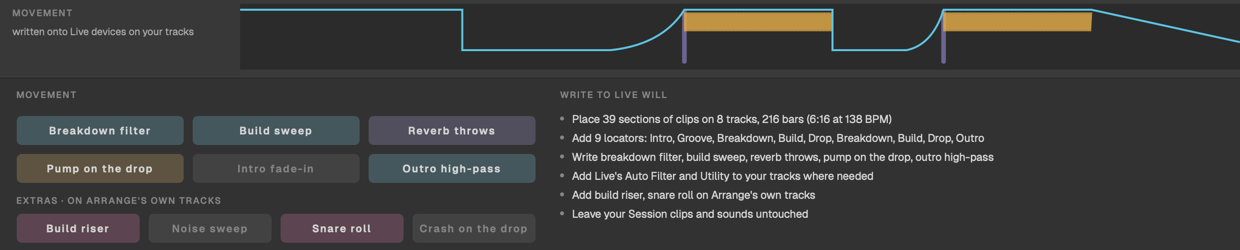
Yours to edit, and one Cmd+Z to undo
Everything lands as ordinary clips, locators and automation lanes, so you can edit it like anything else in your set. Before it writes, Arrange shows what it will do, and asks before replacing anything already in the Arrangement. Don't like it? Press Cmd+Z in Live and it's gone.
Three steps
- Your loop in Session View. Put the loop in one row: a clip on each track.
- Pick a layout and check the roles. A genre, a Phrasemap reference, or your own.
- Write to Live. Press Play in Arrangement View to hear it.
Good to know
Want to see a track's structure first? Map it with Phrasemap, or plan one in the Arrangement Planner.
Anything else? Email hello@trancetools.com, or ask on the TranceTools Discord.
Which versions of Live does it work with?
Ableton Live 12 or later, on a Mac (Apple silicon or Intel). It doesn't work with Live 11 or earlier.
Does it work with Bitwig, Logic or FL Studio?
Not at the moment. Arrange talks to Live through a Live script, and other DAWs don't allow this kind of writing to their arrangement.
Do I need TranceTools?
No. Arrange works with any loop in Live, however you made it. If you do have TranceTools, drag each part onto a clip slot in the same row of Session View, and Arrange takes it from there.
How is it different from TranceTools' Song mode?
Song mode arranges the parts TranceTools writes. Arrange arranges your Live set: your own tracks, synths, audio and effects.
Does it automate my synths' own controls?
No. Live only lets a script automate a third-party plug-in once you've set up its parameters, so Arrange adds Live's own Auto Filter and Utility to your tracks and automates those. They're named TT Filter, TT Gain and TT High-pass, so they're easy to find. The reverb throws use send A, so put a reverb on return track A.
Will it change my Session View clips?
No. Your Session clips stay as they were. Arrange copies them into the Arrangement.
Can I try it before buying?
Yes. Everything works without a licence except Write to Live, so you can link it to your set, pick a layout and set the roles before you buy.
How many Macs can I use it on?
Two per key. Deactivate one in the app's Licence window to move to another.
Does it need the internet?
Only to activate, and to re-check the licence every 14 days. It keeps working offline for 30 days. Once a day at most, it also checks trancetools.com for a newer version, sending no ID.
Get TranceTools Arrange
£29 one-off, for Ableton Live 12 on Mac.