TranceTools apps

Trance plugins for Mac

Plugins made for trance, by the people behind trancetools.com. Write the parts in TranceTools, gate them with TranceTools Gate, and build into the drop with TranceTools Build. All three run on Mac as VST3 and AU.

The app · Mac · VST3, AU and standalone£29

TranceTools

Roll a trance idea in one click: a lead, chords, bassline and arp that fit together, with pad, pluck, acid, drums and FX around them. Each part plays the synth on its own track in your DAW. Play it as a full DJ-length song, then drag the parts in as MIDI.

£29 one-off · £19 until 31 December · every 1.x update free
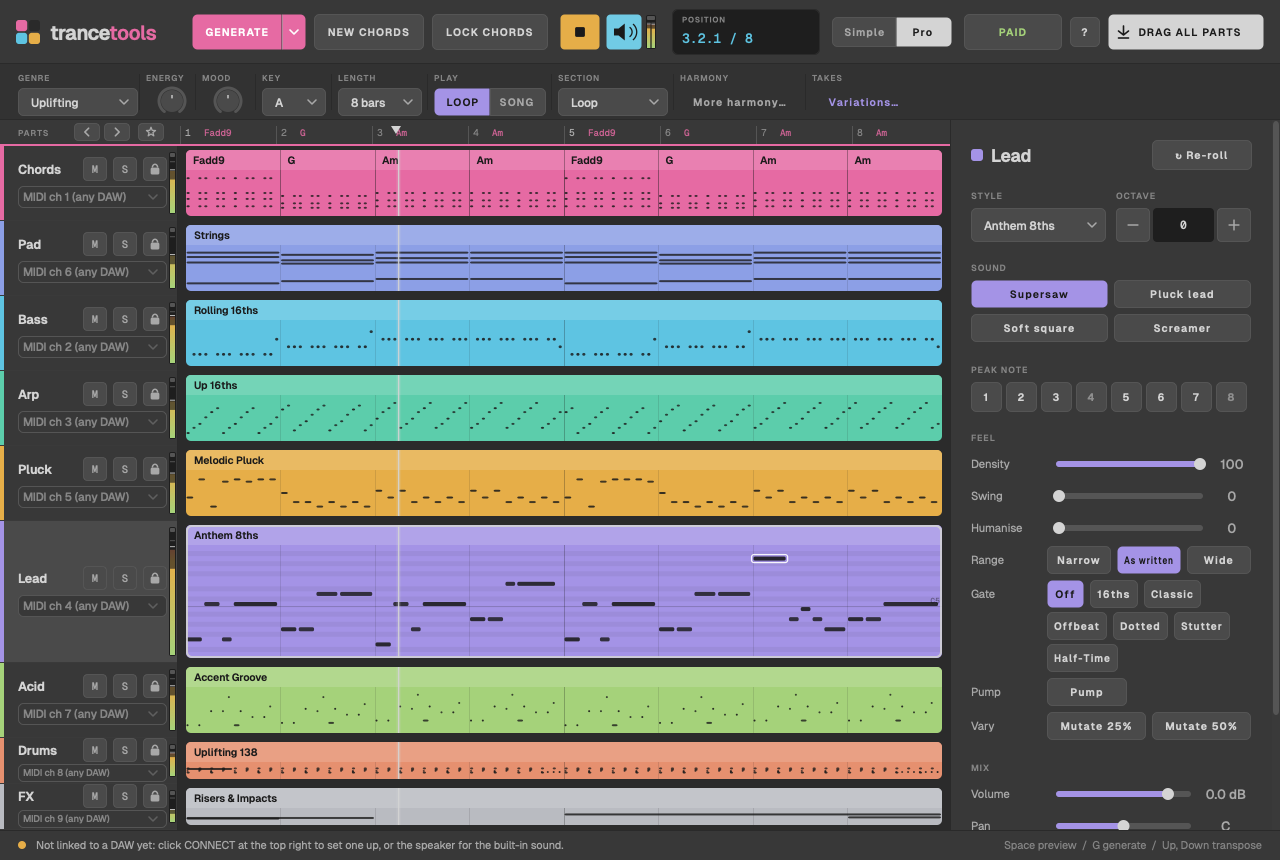
The TranceTools Mac app in Pro view: an 8-bar Uplifting idea in A, with nine coloured parts (Chords, Pad, Bass, Arp, Pluck, Lead, Acid, Drums and FX) and the Lead part's settings on the right
Coming soon · For Ableton Live 12 · Mac£29

TranceTools Arrange

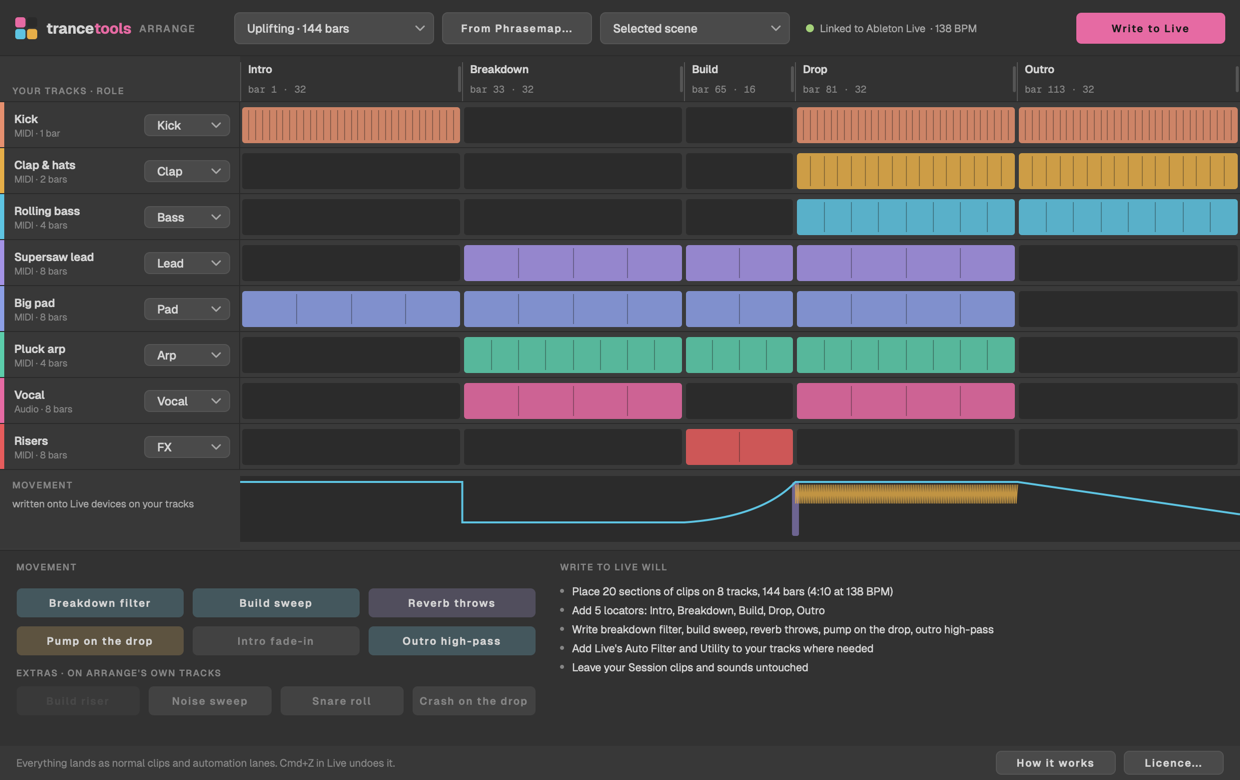
Turn your Session View loop into a full trance arrangement in Live: sections, locators, and automation written onto your own tracks, from a genre template, a Phrasemap reference or your own layout. One Cmd+Z undoes it.

£29 one-off, on two Macs.

TranceTools Arrange laying out eight tracks over an Uplifting intro, breakdown, build, drop and outro
Free plugin · Mac · VST3 and AUFree

TranceTools Gate

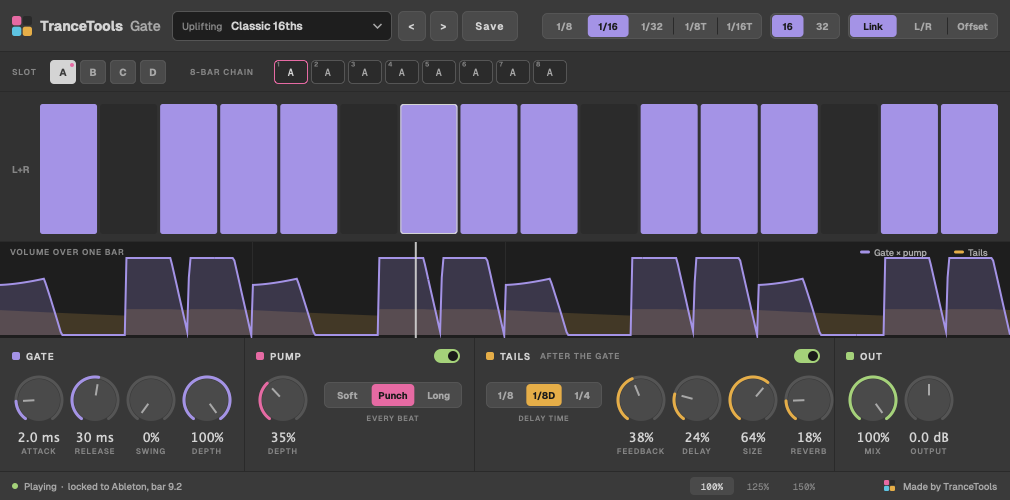
A trance gate and sidechain-style pump in one plugin, with 40 patterns in six trance styles, an 8-bar chain, and delay and reverb that ring through the gaps.

Free. No account or sign-up needed in the plugin.

TranceTools Gate playing the Uplifting pattern Classic 16ths at 138 BPM
Free plugin · Mac · VST3 and AUFree

TranceTools Build

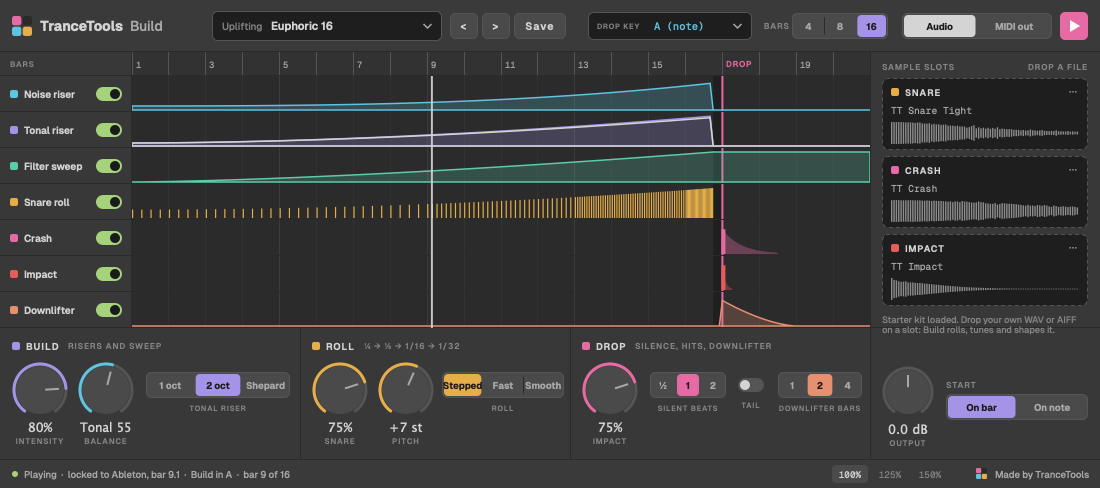
Hold one note and get the whole trance build-up, in key and in time: risers, a filter sweep, a snare roll that speeds up, the silent beat, then crash and impact on the drop. Use your own snare and crash, or drive your own synths over MIDI.

Free.

TranceTools Build showing the Uplifting preset Euphoric 16, with seven layer lanes over 16 bars up to the drop

Free In your browser: the Studio sketchpad and 33 free trance tools, with MIDI out. No sign-up.

Better together

Write it, then gate it

TranceTools writes the parts; the free plugins finish them. Drag the chords or pad from TranceTools onto a synth and put TranceTools Gate on it for the classic stuttering supersaw. Then hold one note on TranceTools Build in the bars before the drop, in the same key, and the track lifts into it.