The whole build
Noise riser, tonal riser, filter sweep, snare roll, the silent beat, crash, impact and downlifter. Switch any layer off, and see each one's shape on the timeline.
The whole trance build-up from one held note. A noise riser, a tonal riser, a filter sweep, a snare roll that speeds up, the silent beat before the drop, then crash, impact and downlifter, all in key and locked to your track. Free, from the people behind TranceTools.
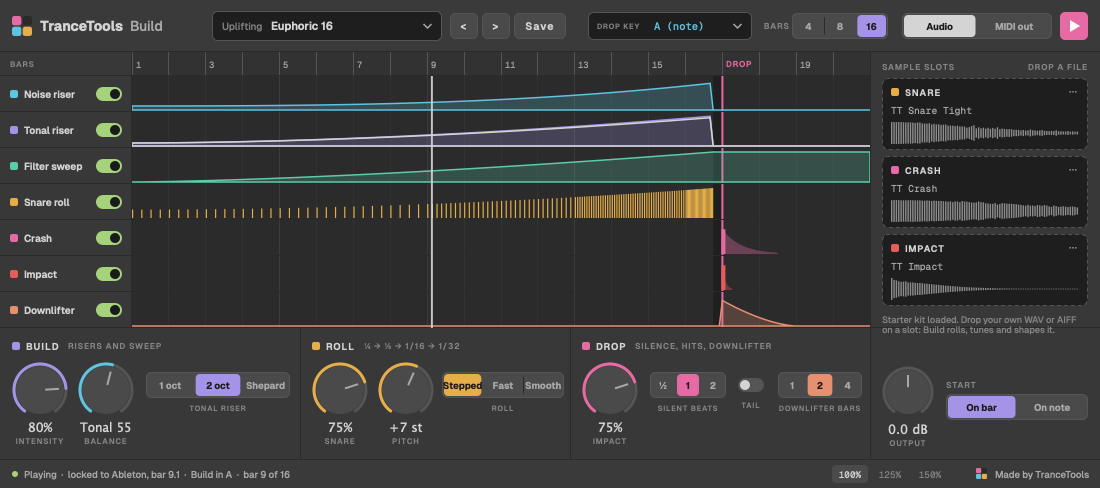
A good trance build is many layers that all have to agree: a snare roll that speeds up on the right beats, risers climbing to the drop's key, a filter opening, a gap before the drop, and the crash landing on the one. Most plugins only make the riser. Sample packs are the wrong length and key.
TranceTools Build plays all of it as one instrument. Hold a note, and the build fits your track.
Noise riser, tonal riser, filter sweep, snare roll, the silent beat, crash, impact and downlifter. Switch any layer off, and see each one's shape on the timeline.
The note you hold sets the drop's key, or pick it. The build locks to your DAW's tempo and bar, so the crash lands exactly on the drop.
Quarters, 8ths, 16ths, then 32nds in the last bar. Or Fast, which gets there sooner, or Smooth, which speeds up gradually. The pitch rises as it goes.
Drop your own snare, crash or impact on a slot. TranceTools Build rolls it, shapes it and tunes the impact to the key, and keeps it inside your project.
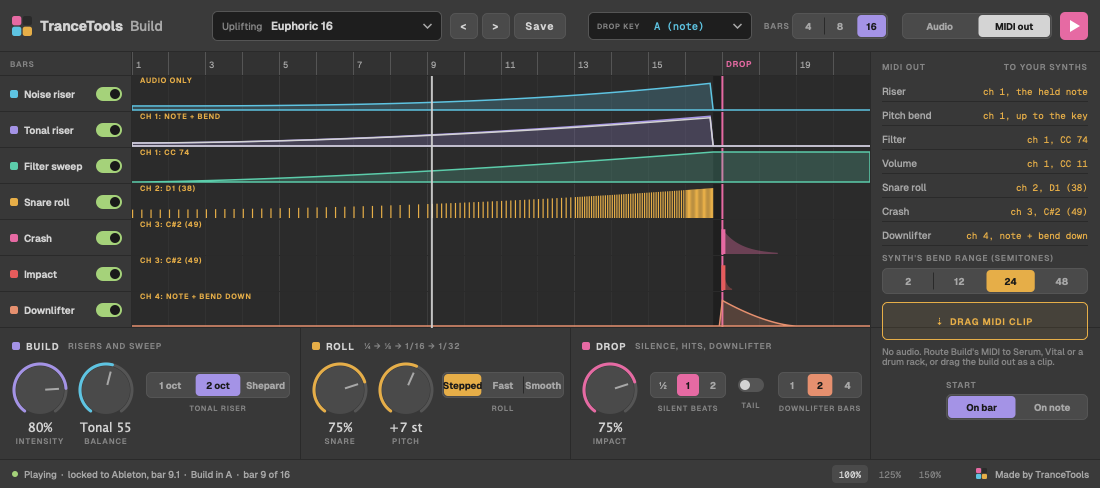
Prefer your own synths? Switch to MIDI out and TranceTools Build writes the build as MIDI: the riser with pitch bend, filter CC, the roll and the crash. Or drag it out as a clip.
Uplifting, Progressive, Psy, Tech, Vocal and 90s, each with its own roll, riser and drop. Then save your own.
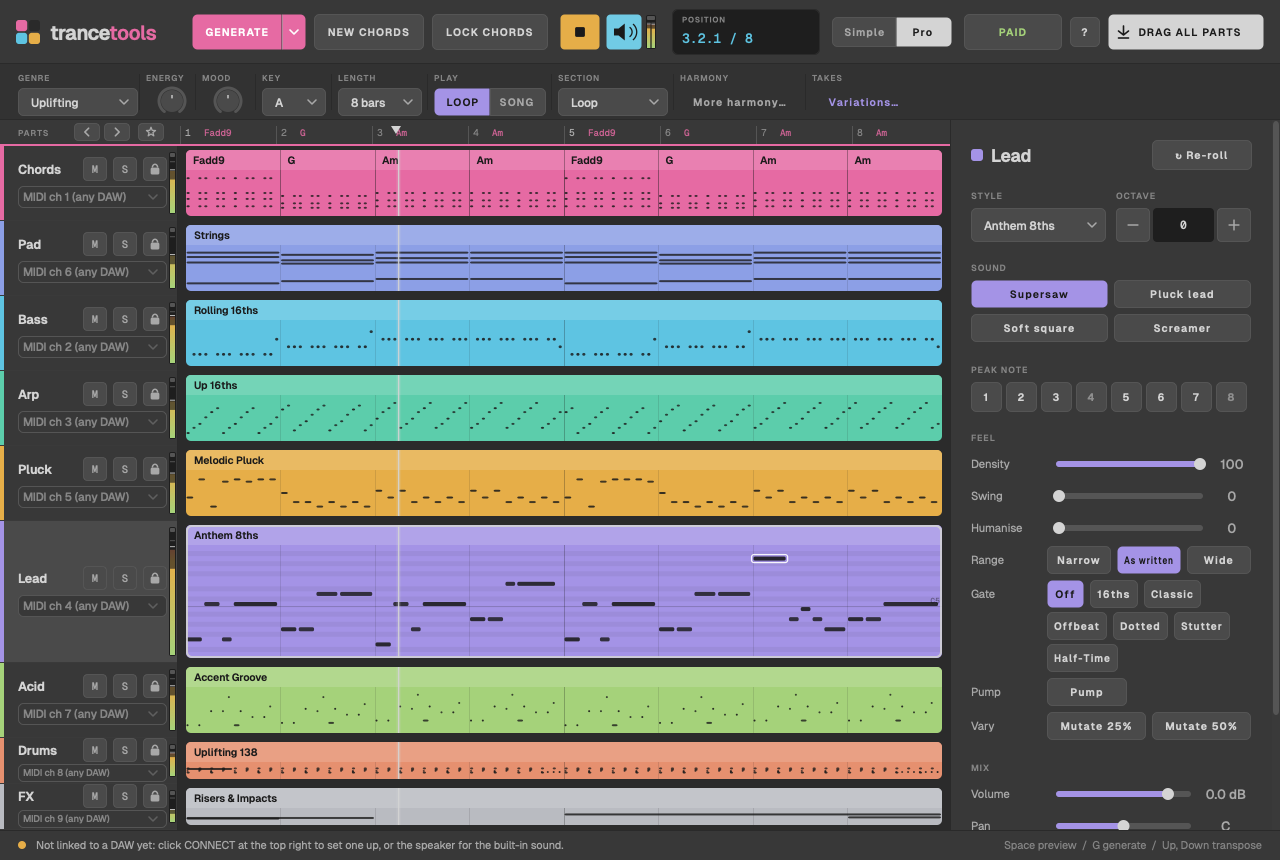
TranceTools writes trance ideas you can drag into your DAW: chords, leads, basslines, arps and more, made to fit together. Hold a note in TranceTools Build before the drop, in the same key, and the track lifts into it.
TranceTools: £29 one-off · £19 until 31 December · every 1.x update free
No account, no sign-up and no nag screens in the plugin. The only link is a small "Made by TranceTools" in the corner.
New to it? Read the TranceTools Build guide. Want MIDI in your browser instead? Try the Build-up Generator.
Anything else? Email hello@trancetools.com, or ask on the TranceTools Discord.
Yes. TranceTools Build is free for personal and commercial use, so you can use it on tracks you release and sell. Please don't share the plugin files or sell them; send people to this page instead. It's provided as is, with no warranty.
Yes. We made every sound in the starter kit ourselves, so you can use the snare, crash and impact in anything you release.
VST3 and AU on Mac: macOS 11 or later, Apple silicon and Intel. There's no Windows or AAX version yet.
We've tested it in Ableton Live and Bitwig Studio. It's a standard VST3 and AU instrument, so it should load in any Mac DAW that hosts them. Put it on its own MIDI track.
WAV, AIFF, FLAC or MP3, up to 20 seconds. Silence at the start is trimmed, and the level is matched to the starter kit.
The Build-up Generator runs in your browser and gives you MIDI and a ready-made WAV riser to import. TranceTools Build is a plugin: it plays the build live in your DAW, in your track's key and tempo, with your own sounds.
Free for Mac, VST3 and AU.
Download free