Changes in Live
Reshape changes the notes in your clip in Live, while it plays, without cutting off a note that's sounding. Every change is one Cmd+Z.
When a change lands
Under Changes land, choose:
- Next bar (the default): you hear the change from the next bar. Notes already sounding finish first.
- Next loop: the change waits for the clip to come round to its start, so the whole loop changes at once.
While a change is on its way, the changed notes are a little paler, a dashed pink line marks where it will be heard in full, and the status line counts down: lands in 2 bars, then landing now. If the clip isn't playing, it says on its way to Live and lands straight away.
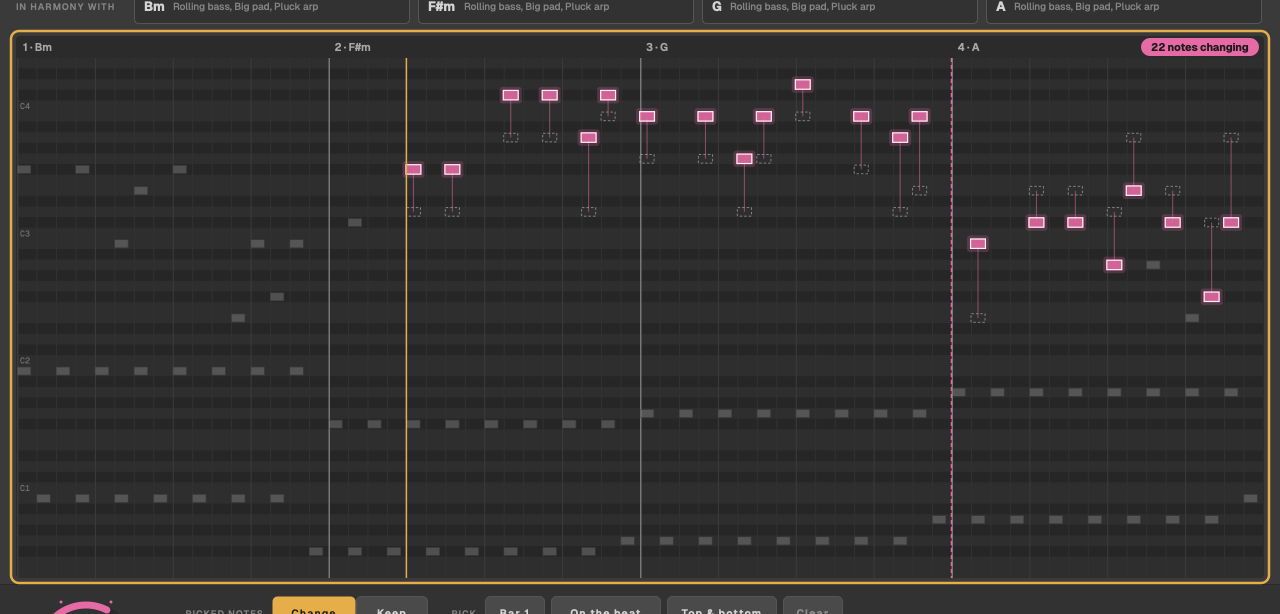
What changes in the clip
Only the notes. Reshape never changes a note's velocity, and never touches the clip's length, loop, name, envelopes or the track's sound. Changes go into the clip itself, so they're saved with your set like any edit.
Turn the dial again quickly and only the latest change is sent: Reshape skips the ones in between.
Undoing
Each change is one step in Live's undo history, so Cmd+Z in Live undoes them one at a time. Or click Back to original to put the clip's own notes back in one go.
Back to original knows the clip as it was when Reshape first read it. Notes you've added in Live since are yours: Cmd+Z or delete them in Live.
Without a licence
The dial, takes and picks all work, and the notes show what would change, but nothing is sent to Live: the pill says changed · not in Live, and the status line says shown here only: sending changes to Live needs a licence. The first time, the licence card opens with Activate to send changes to Live.