Licence, updates and your files
How activation works, what you can do before you buy, moving to a new Mac, updates, and where Arrange keeps things.
Activation
TranceTools Arrange is £29 one-off, or comes with TranceTools Spark in a bundle. When you buy, you get a product key by email: TTAR-…, or TTBN-… for a bundle.
- Click Licence… at the bottom right of the window, or choose TranceTools Arrange > Licence… in the menu bar.
- Paste your product key and click ACTIVATE.
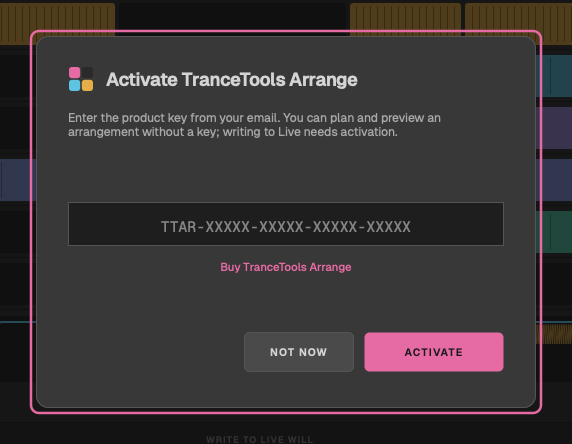
Activating needs an internet connection. If a key has a typo, it says That key doesn't look right. Check it for typos. Once activated, the footer button says Licensed.
Without a key
Everything works except writing to Live: link it to your set, pick and edit a layout, set roles, switch cells, moves and extras, and read the summary. Click Write to Live without a licence and the card opens with Activate to write to Live.
Two Macs per key
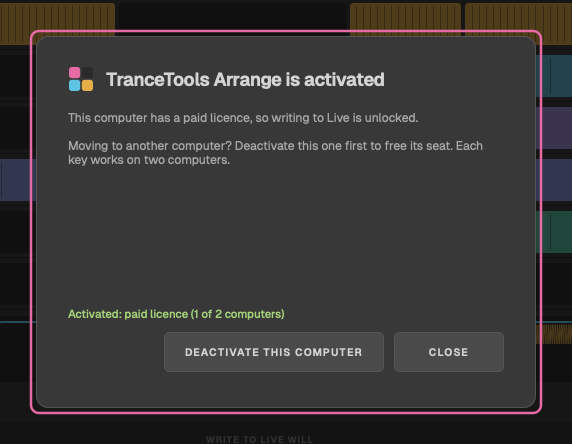
Each key works on two computers. Moving to a new Mac? On the old one, click Licensed and then DEACTIVATE THIS COMPUTER to free its seat, then activate the new one.
Working offline
Arrange checks your licence with trancetools.com when you activate and every 14 days after, when you're online. It keeps working offline for 30 days. After that, the card says Re-check your licence: connect to the internet and click CHECK AGAIN to carry on writing.
Updates
At most once a day, Arrange asks trancetools.com whether there's a newer version, sending no ID. When there is, a Version … is out button appears at the bottom of the window; click it to open the download page.
Where your files live
| What | Where |
|---|---|
| Licence and settings | ~/Library/Application Support/TranceTools Arrange |
| The Live script | Your Live User Library, in Remote Scripts/TranceToolsArrange |
| The extras' sounds | Your Live User Library, in Samples/TranceTools Arrange |
Your Live User Library is usually Music/Ableton/User Library in your home folder. Arrange doesn't keep layouts between sessions: start from a genre or a Phrasemap file each time.