New free tool: Phrasemap turns a track you love into a ready-to-write Ableton set
Drop in a trance track, see its intro, breakdown, build, drop and outro with bar counts, and download an Ableton Live set laid out the same way.
Every trance producer knows the feeling: a loop you love, sixteen bars long, and no idea how to turn it into a track. A good way out is to borrow the layout of a record you already love. Until now, that meant counting bars by ear and placing markers by hand.
Phrasemap does it for you, free, in your browser.
What it does
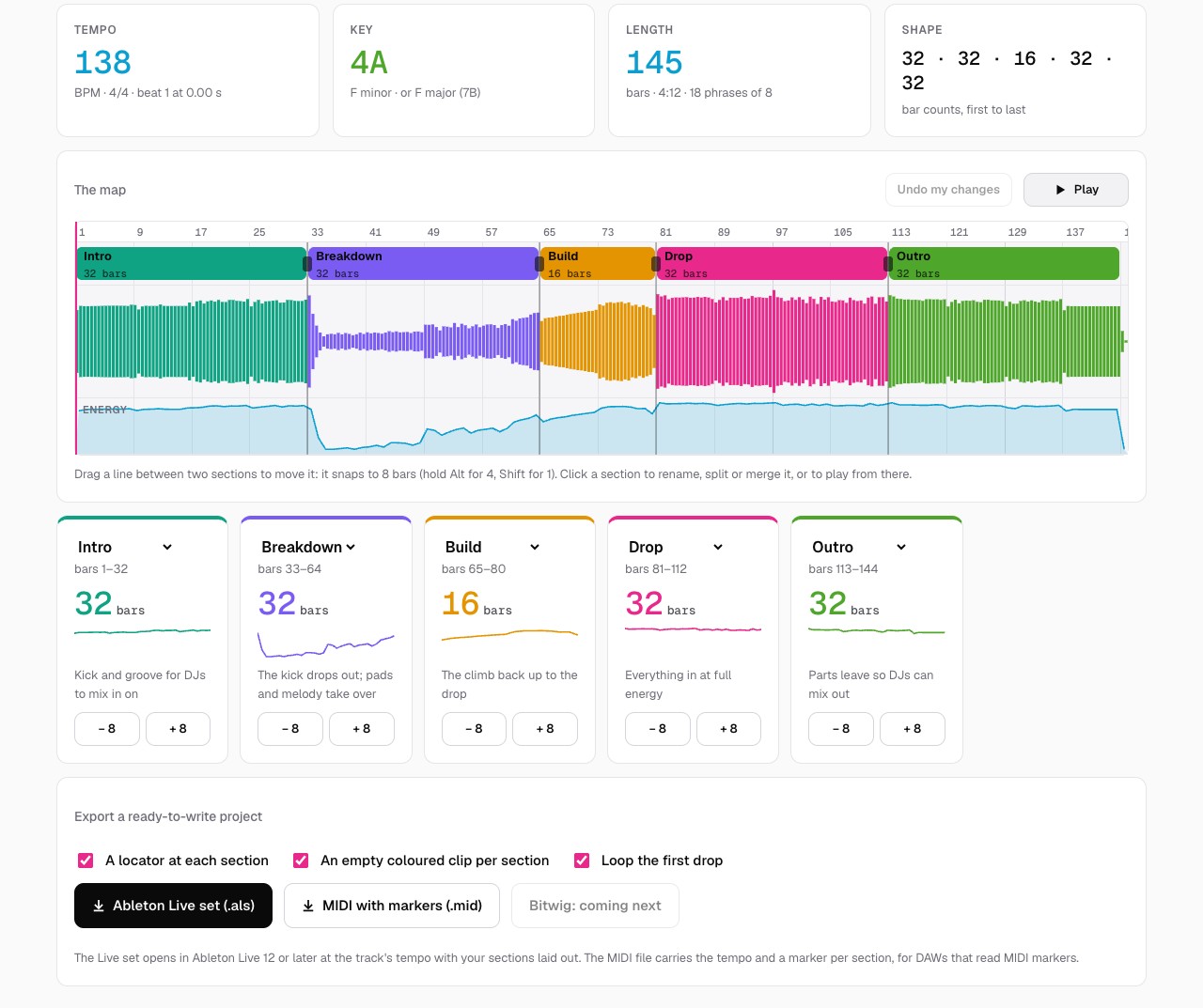
Drop in a trance track: MP3, WAV, AIFF, FLAC, AAC or OGG, up to 15 minutes. A few seconds later, Phrasemap shows:
- its sections (intro, groove, breakdown, build, drop and outro), each with its bar count;
- the tempo, the key with its Camelot code, and an energy curve bar by bar.
Then click Ableton Live set. You get a set at the track's tempo with a locator at every section, an empty coloured clip for each one, and a loop on the first drop, ready for you to write your own track into the same shape. It opens in Ableton Live 12 or later. (Live 11 and earlier can't open sets from Live 12; the tool page shows how to set up the same layout by hand in a minute.) There's also a MIDI file with the tempo and a marker at each section, for DAWs that read MIDI markers. A Bitwig Studio export is coming next.
Fix anything by ear
Press Play and the playhead runs across the map. If a section is in the wrong place, drag the line between two sections. It snaps to 8 bars, the way trance is built. You can also change a section's type, split it, or merge it with the next one. Tracks with an unusual structure may need a nudge; most map cleanly.
Your track stays with you
Everything runs in your browser. Nothing is uploaded and nothing is stored. It works best on whole, DJ-length tracks, at a steady tempo. Please use tracks you own or have the rights to.
Why we made it
There are good tools that analyse a track or label its phrases. We wanted one that goes the last step and hands you a project to start writing in. For the full workflow, from picking a reference to writing the breakdown, read Arrange trance from a reference track.