TranceTools 0.6: seven parts, acid lines, chord import and more
Pads, plucks and 303 acid lines, classic trance progressions, MIDI chord import, song sections, and previews in any DAW.
The TranceTools beta has had three updates since it opened, and version 0.6 is a big step up. An idea is now seven parts instead of four, it can write whole sections of a track, and it works with any DAW. If you're already on the beta, the app will offer the update itself.
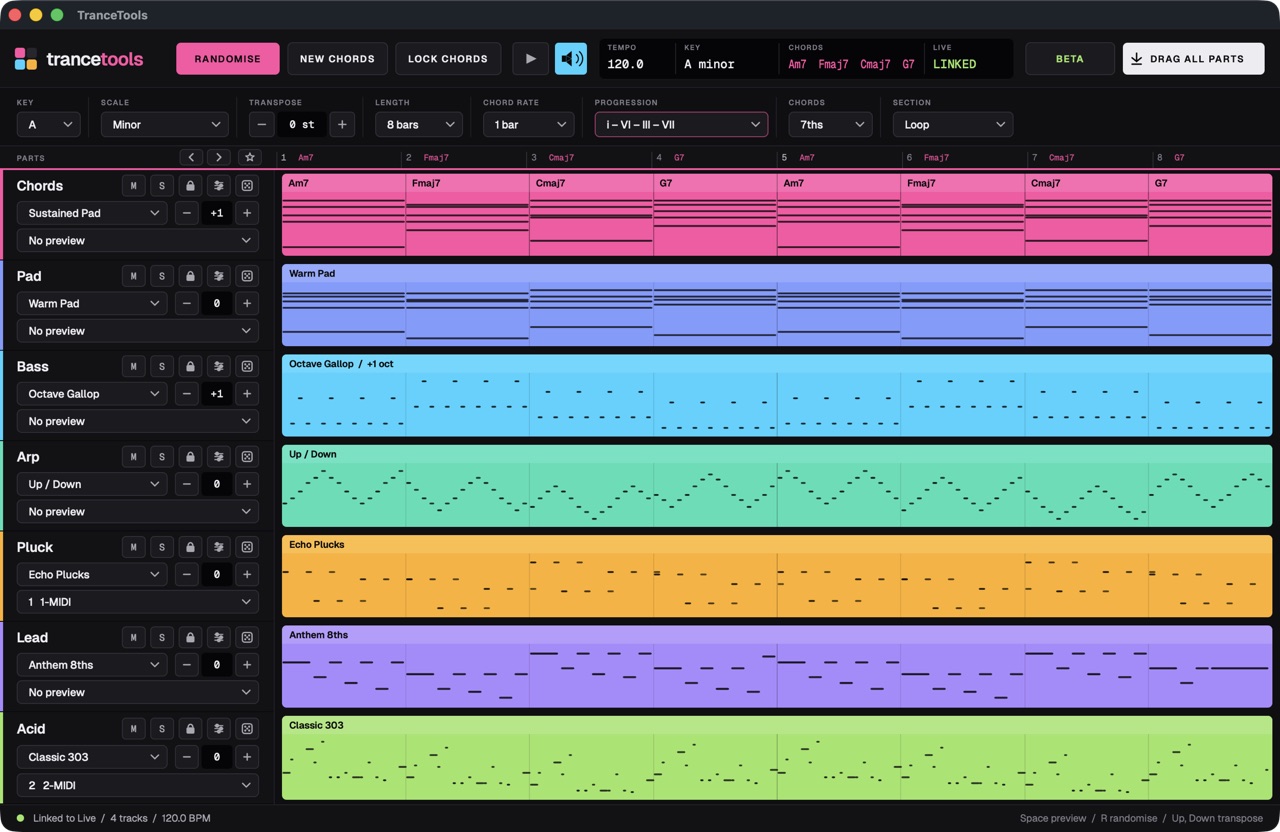
Seven parts
Alongside Chords, Bass, Arp and Lead there are now:
- Pad, for the long, wide chords under a breakdown, including drone pads.
- Pluck, for the short, bright counter-melodies that sit between the lead's phrases.
- Acid, a 303-style line with accents and slides.
Every part has 8 to 10 styles now. That includes psy and gallop basses, triplet arps and hook leads.
Chords that sound like trance
- Progression presets. Start from the classic trance progressions, shown in Roman numerals, so you can see the shape of the progression in any key.
- Chord colours. Plain triads, 7ths, add9, sus2 or sus4.
- Click to change. Click any chord on the ruler to swap it.
- More scales: minor, harmonic minor, Phrygian, Dorian, major, Mixolydian and Lydian.
Bring your own chords
Got a progression you love? Import any MIDI file. TranceTools works out the key and the chords, then writes new parts over them: a bassline, an arp, a lead, an acid line, whatever you need.
Shape the feel without losing the notes
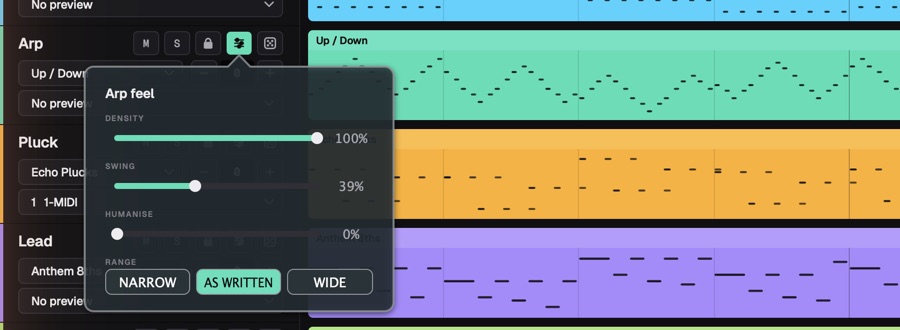
Each part now has Density, Swing, Humanise and Range. They change how a part plays (busier or sparser, straighter or looser, higher or lower) without re-rolling the notes you liked.
Sections, not just loops
Ask for a Breakdown, Build or Drop, or a full 24-bar song that moves through them.
Never lose a good idea
TranceTools keeps your last 100 ideas, so you can step back to the one from five minutes ago. Star the keepers as favourites.
Export a batch
Export Variations writes 8, 16 or 32 different ideas as multi-track MIDI files in one go, ready to audition in your DAW. It needs an activated key, which every beta tester has.
Works with any DAW
Bitwig Studio and Ableton Live still get the closest link: pick tracks from inside the app, preview on them, and drag clips straight in. Now every other DAW can play along too:
- MIDI output. TranceTools shows up as a MIDI input, one channel per part. Point your instrument tracks at it in Logic, FL Studio, Cubase, Studio One or anything else, and hear ideas on your own synths.
- Built-in preview synth. Or skip the setup and listen inside the app.
Try it
The beta is free and Mac only for now (macOS 11 or later, Apple silicon or Intel). Tell us what you think: just reply to the email with your product key.